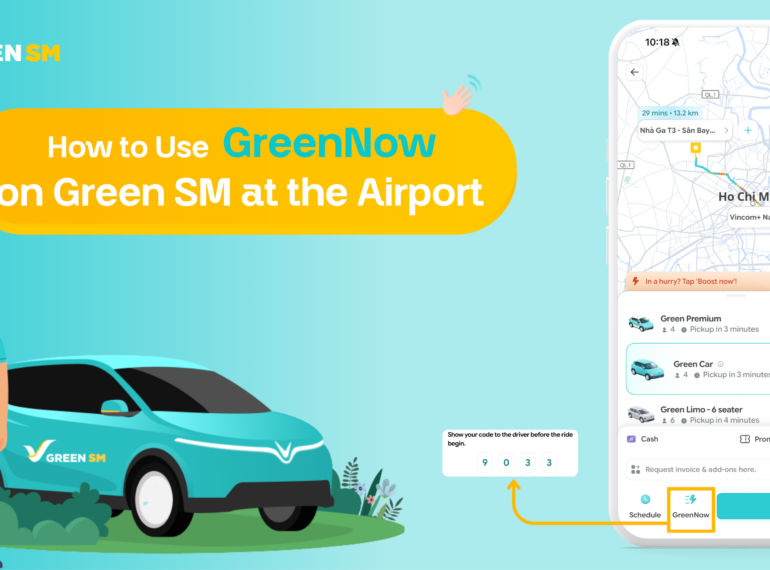
Just landed at Tan Son Nhat Airport or any other airport such as Noi Bai or Da Nang?
You may notice available Green SM electric vehicles waiting right outside and want to hop in immediately – without booking through the Green SM app or waiting for the system to assign a ride.
With GreenNow, you can proactively book the nearest Green SM vehicle in just a few simple steps, similar to hailing a traditional taxi or motorbike taxi, while still enjoying transparent pricing, high-quality service, and secure cashless payment.
The GreenNow service allows you to book instantly – pay in advance – depart immediately, delivering a convenient, modern, and eco-friendly transportation experience.
How to Use GreenNow at the Airport
Below is a step-by-step guide to using GreenNow at the airport, helping you quickly get started and enjoy a seamless green journey.
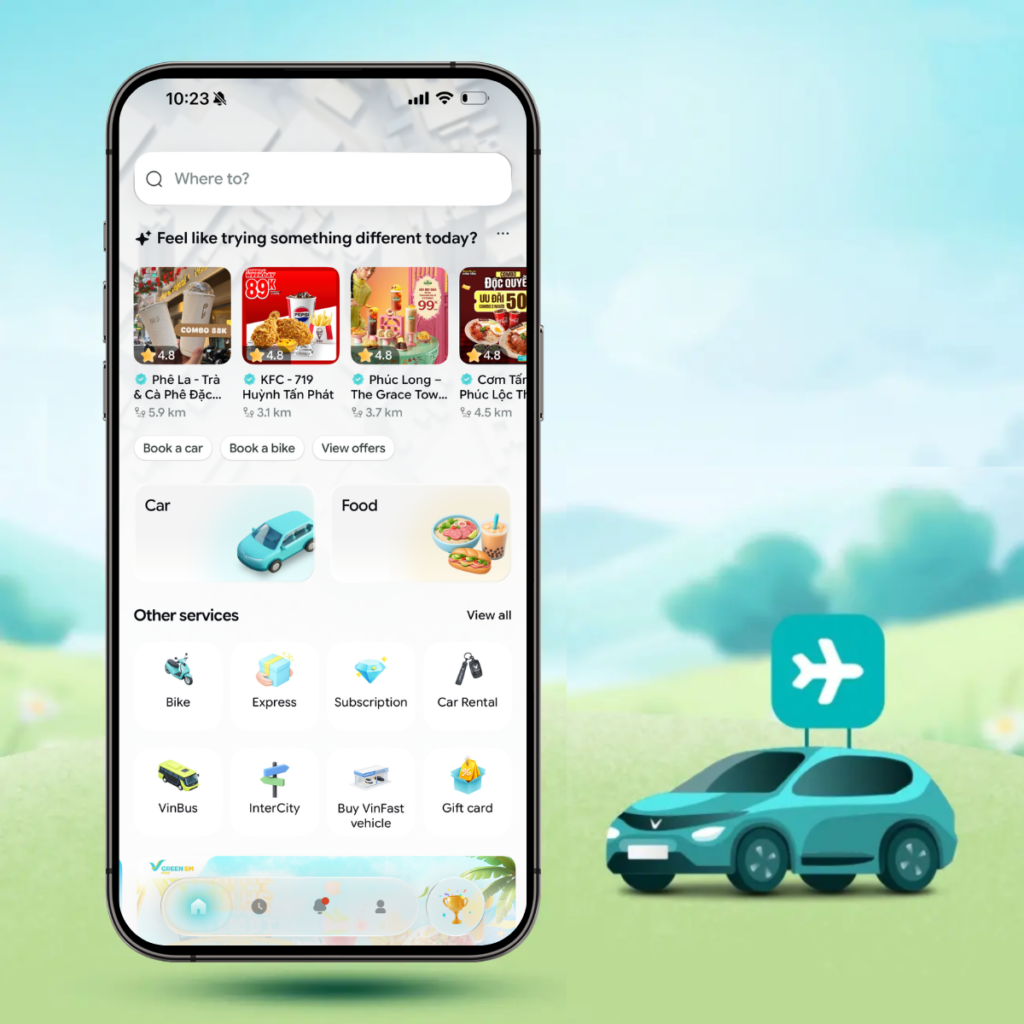
Step 1: Open the Green SM App
On the home screen, enter your destination based on your travel needs. Your pickup location is usually automatically detected by the system at designated pickup columns or waiting areas inside the airport, making the process faster and more accurate.
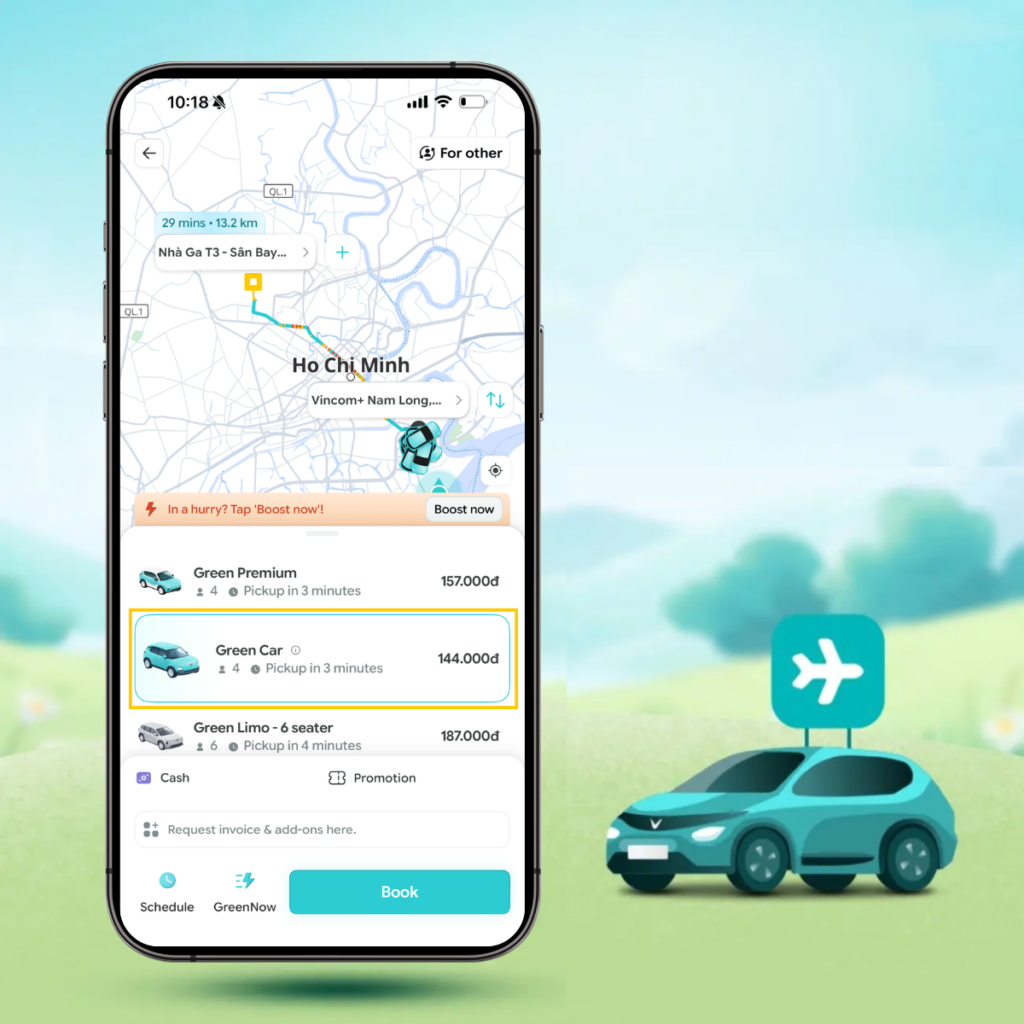
Step 2: Choose the Right Vehicle for Your Trip
Select the vehicle type that best suits your needs, such as Green Car, Green Premium, or Green Limo, to enjoy a more comfortable journey.
Step 3: Choose Your Payment Method
Select your preferred payment method (Visa card, e-wallet, etc.) and don’t forget to apply any available promo codes to save more on your trip.
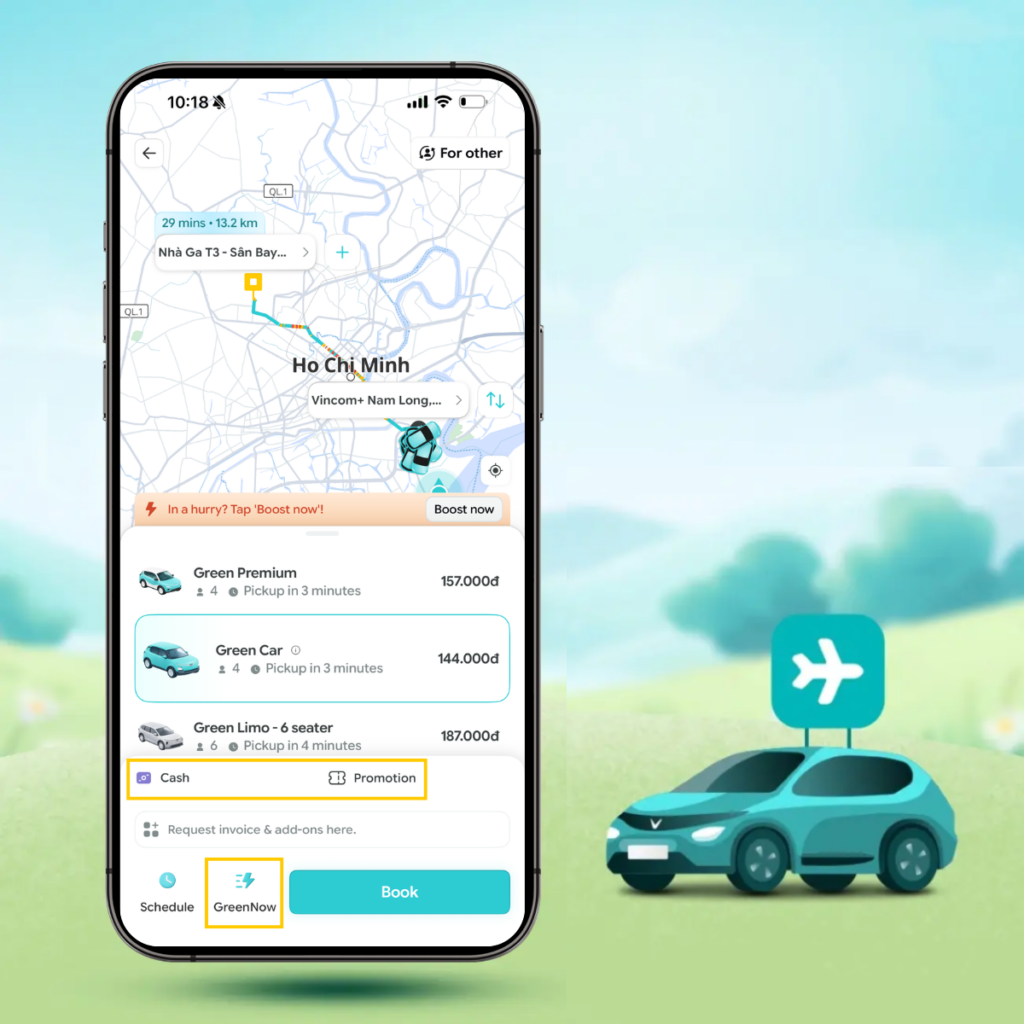
Step 4: Select the GreenNow Service
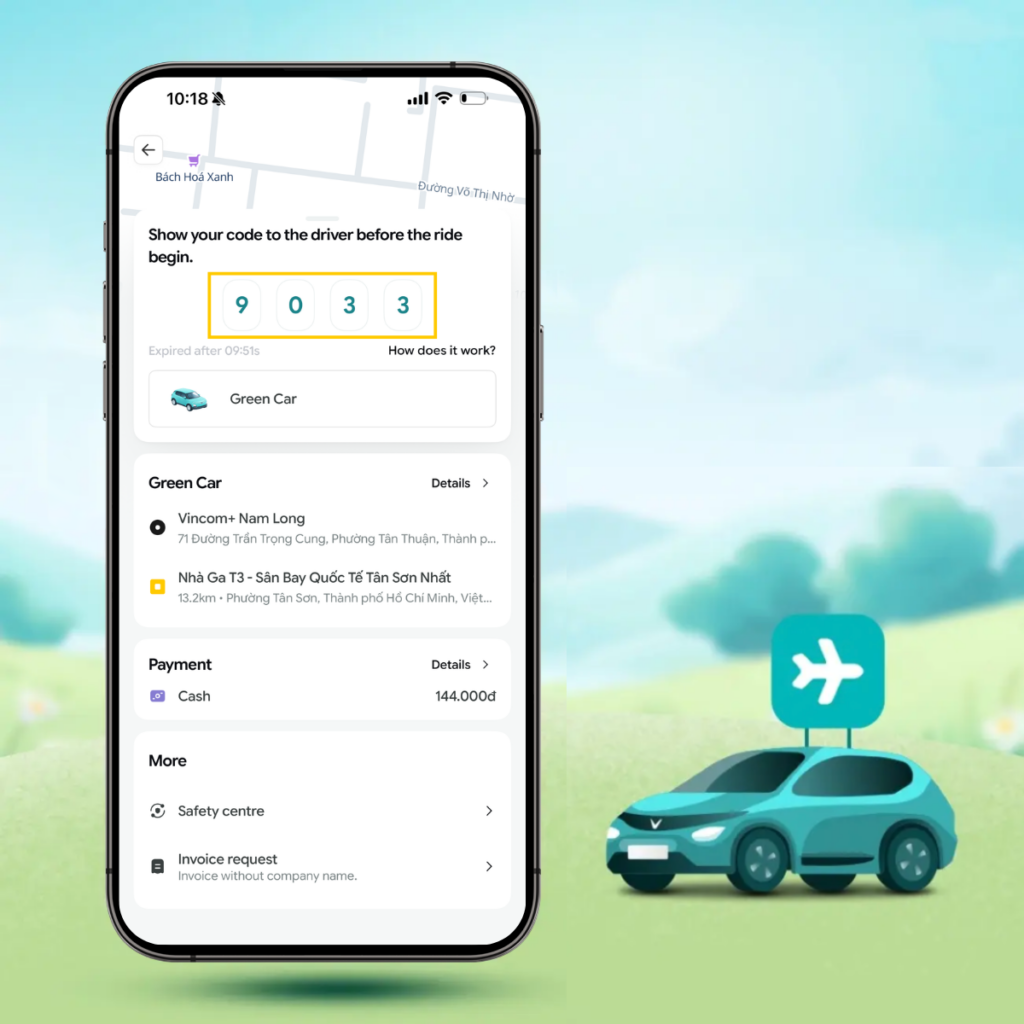
After selecting “Book GreenNow”, the system will display a 4-digit trip code.
You simply need to show this code to the driver for verification and ride matching. The code is valid for 10 minutes – if it expires, you can easily book a new trip again.
Step 5: Start Your Journey
Once the driver enters the verification code, your trip will officially begin.
Sit back, relax, and enjoy the fresh air and smooth ride in a Green SM electric vehicle.
You can also track your route directly on the in-app map throughout the journey.
Step 6: Complete Your Trip
After your trip is completed, the app will display:
- The total amount paid
- Your trip code and vehicle license plate number
- Options to issue an e-invoice, view the digital contract, or contact customer support if needed.
All GreenNow trips are protected by Green SM Car insurance and transparent electronic contracts, giving you complete peace of mind throughout every journey.
Benefits of Using GreenNow at the Airport
- Fast & Time-Saving: Book your ride – pay – and depart immediately, with no waiting required.
- Convenient: No manual confirmation needed and no worries about last-minute ride cancellations.
- Transparent: Clearly displayed fares with completely secure payment methods.
- Green & Modern: Travel in smooth, eco-friendly electric vehicles for a more sustainable journey.
If you do not see any nearby Green SM vehicles available for the GreenNow service, you can still book a ride through the Green SM app just like other familiar ride-hailing platforms.
The app allows you to enter your pickup and destination points, choose your preferred vehicle type, view transparent pricing, and track your trip in real time.
Steps to Book a Ride Through the Green SM App
Step 1: Access the Green SM application. Enter the destination and pickup point. After that, the screen will display service type options such as:
- Car: Green Limo, Green Car, Green Premium.
- GF-VIP: Business
- Motorbike: Green Bike, Green Bike Plus
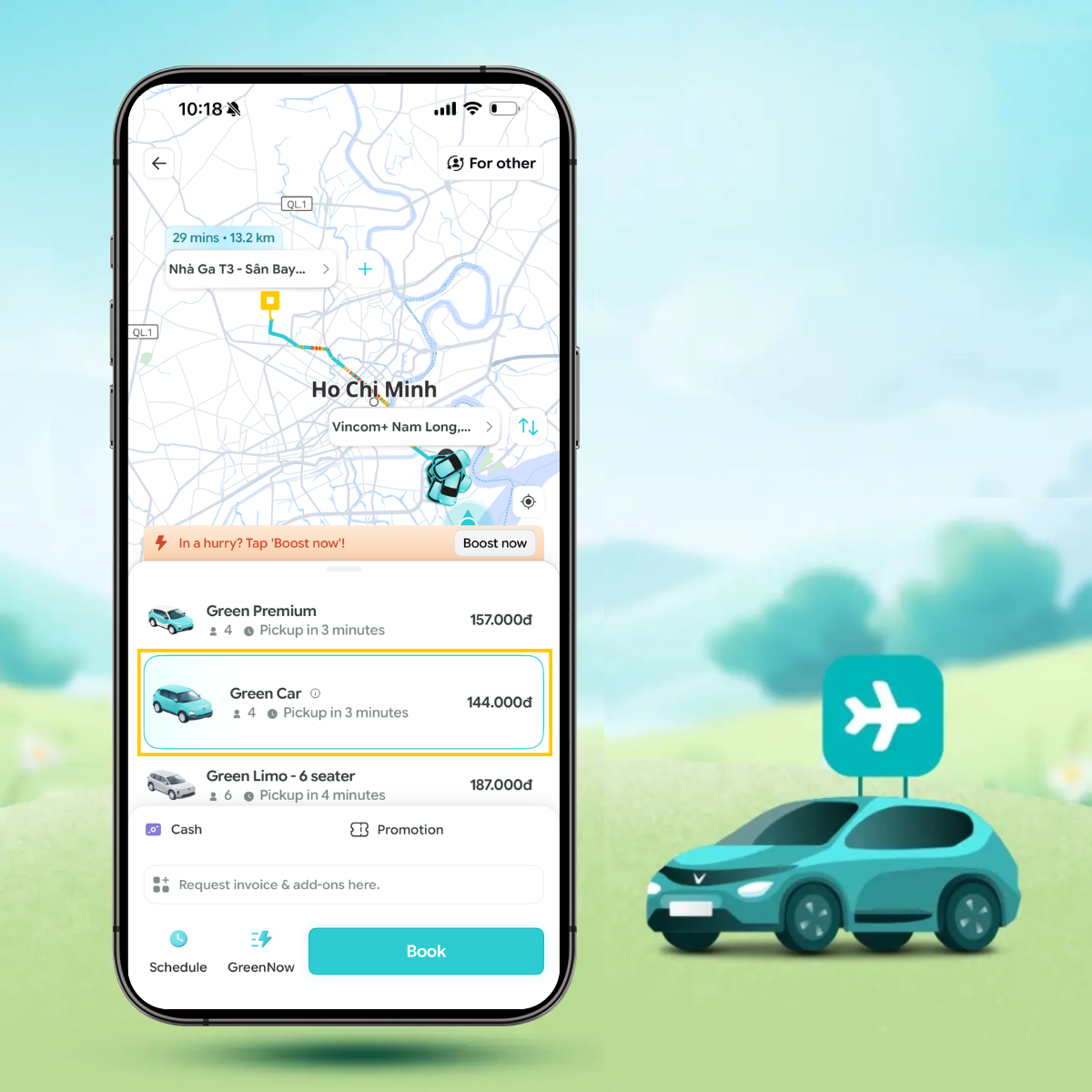
Step 2: To have more information about these types of services, customers select the service type and press the exclamation mark (!) icon of the vehicle type to refer and choose the service type that they want.
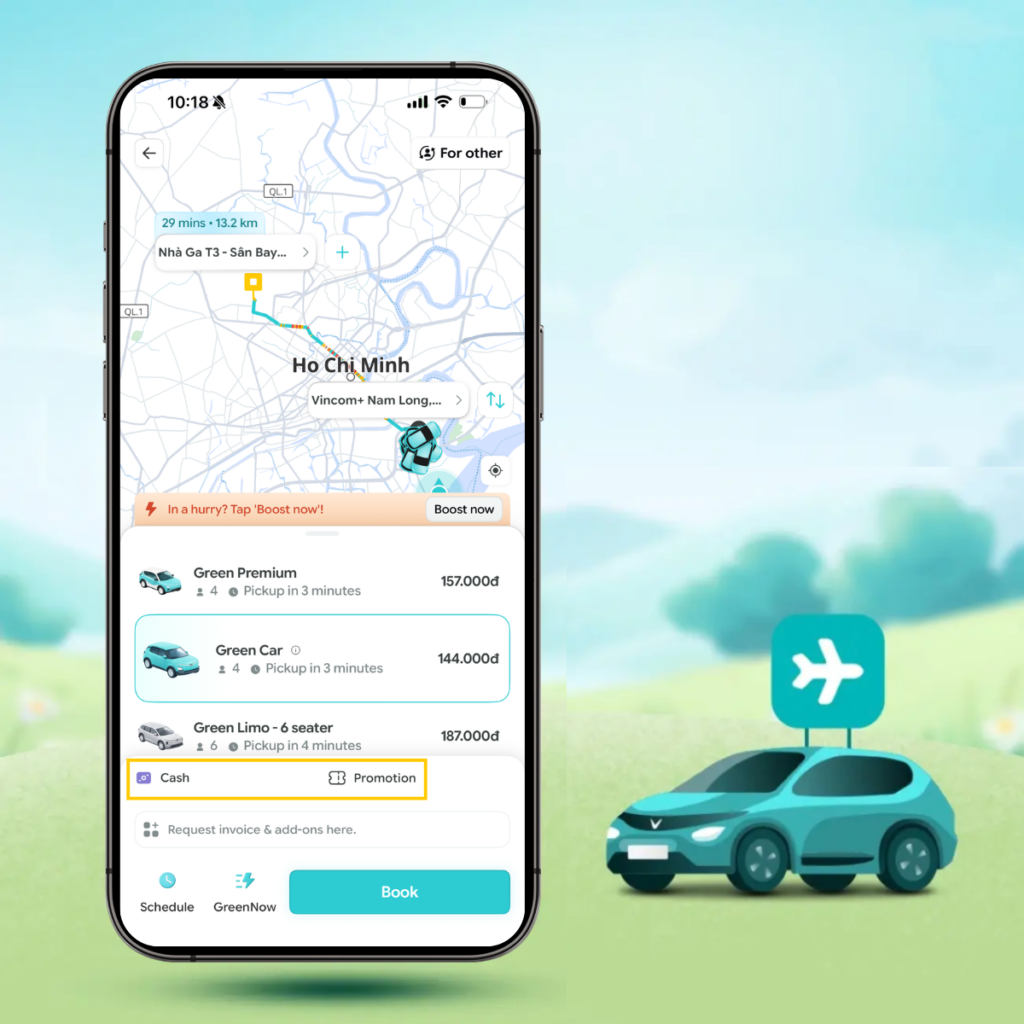
Step 3: Choose “payment method”. Currently, there are many payment methods such as paying by cash, by credit card/debit card and payment by e-wallet. Don’t forget to apply promotions when traveling.
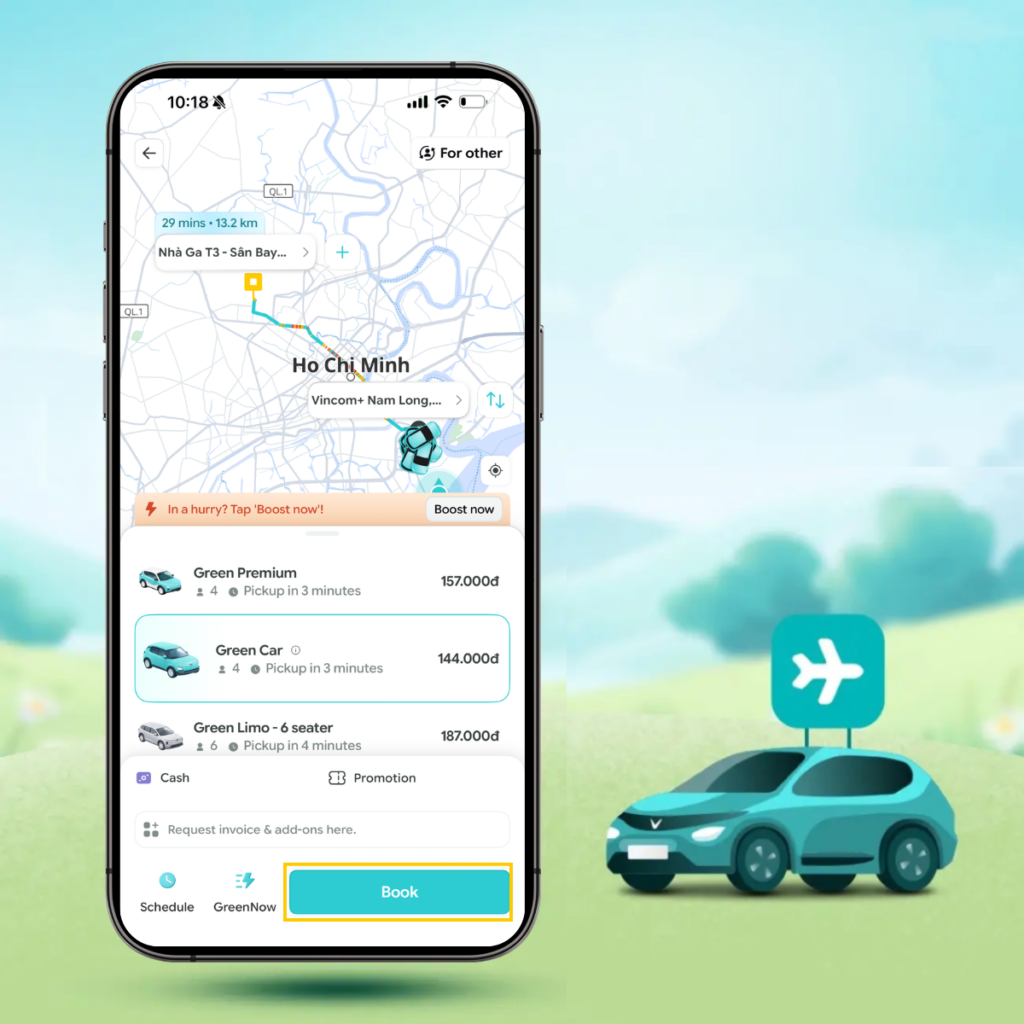
Step 4: Press the “Book ride” button below to complete the ride booking. At this time, the system has recorded the customer’s ride booking request and will proceed to dispatch a vehicle according to the request. Please wait a few minutes for the driver to pick you up.
If you choose to travel by car, you can also try booking a taxi through the Green SM hotline. Besides booking a ride through the application, you can book a ride in the traditional way via the 1555 hotline and follow the instructions to place your booking.
Taxi waiting/pick-up points at airports are especially useful if you want to catch a Green SM vehicle or ride-hailing taxi after landing.
After landing, identifying the correct pick-up area will help you save time and get into a Green SM vehicle more quickly.
Tan Son Nhat International Airport
– Domestic Terminal (T3):
- GreenNow pre-booked vehicles wait at Lane A, columns 12A-15A.
- GF-VIP vehicles: Lane A, columns 16A-19A.
- App bookings pick-up at columns 11A-12A or columns 34-35A.
– Domestic Terminal (T1):
- Taxi pick-up lane: columns C3-C6.
- Green Bike pick-up/drop-off point.
- GF-VIP vehicles: Lane D, columns 8-9.
- Ride-hailing vehicles: Lane D2, columns G6-B6.
– International Terminal (T2):
- Green SM taxis: Lane A, columns A1-A4.
- Ride-hailing vehicles: parking area.
- GF-VIP vehicles: Lane B, columns 10-12.
Download the Green SM app here or contact Hotline 1555 for 24/7 support.

